Why Birth Chart Calculators Disagree
Two charts can look different without either calculator being broken. Check the inputs and settings before deciding that one describes you better.
Direct answer
Short version
Match the exact birth date, local clock time and birthplace. Then compare the time-zone conversion, zodiac and house system. Compare planet positions separately from house labels: a change in house system can move a planet into another house without changing its zodiac position.

What does your own chart say about you?
Choose love, work or purpose for a personal insight and a useful next step. Your reading uses your own birth details.
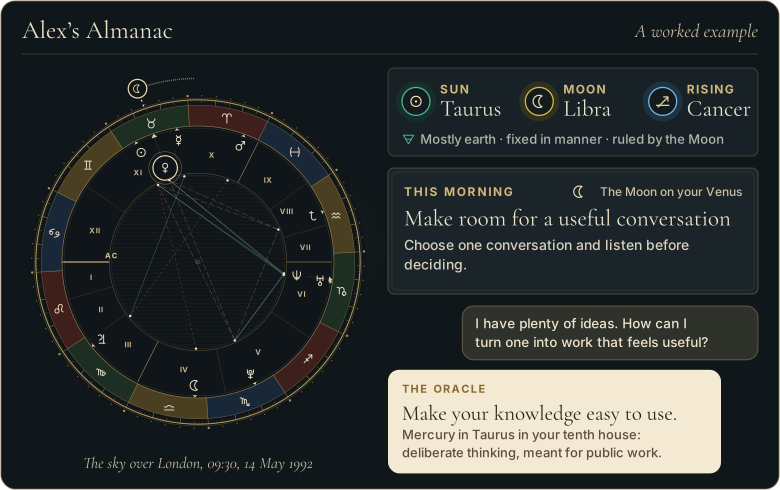
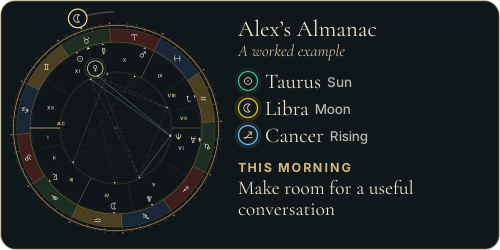
Walk through Alex’s whole example first
 The Road of AgesSee the turning points of your whole life, from your birth date
Free first look
The Road of AgesSee the turning points of your whole life, from your birth date
Free first look
Prefer to explore first?
 The Road of AgesThe turning points of your whole life, from your own chart
Walk my road
The Road of AgesThe turning points of your whole life, from your own chart
Walk my road
Visual guide
Why Birth Chart Calculators Disagree
Check the input before the interpretation
Write both sets of inputs side by side. Look for reversed day and month, a similarly named town or a morning time entered as evening. Confirm whether the displayed time is the local birth time or a converted time. Copying the same clock number into fields that expect different time standards can produce a mismatch.
Understand why settings matter
Astrodienst documents several house systems and chart calculation options. These conventions can give different house assignments. Tropical and sidereal charts use different zodiac reference points. Compare like with like before asking why a planet has a different sign. A different setting is not automatically a software error or a more accurate description of your life.
Separate disagreement from rounding
One chart may show degrees and minutes while another rounds to a whole degree. Read the detailed position table when it is available. If the values are close, a display choice may explain the difference. If they are far apart, return to the input and settings checklist. Do not select a birth time simply because its interpretation sounds more flattering.
What to save when asking for help
Save the entered details, calculator names, zodiac and house system, and the particular placement that differs. Ask the provider to explain that discrepancy without sharing an entire personal history. If the birth time is uncertain, state that plainly. Comparing calculators cannot turn an estimate into a recorded fact, and a noon default should not silently become an exact birth time.
Concrete examples
| Example | What it means in practice |
|---|---|
| Same degree, different house | Compare the house systems before assuming the planet calculation is wrong. |
| Rising signs differ | Recheck the time, AM or PM, location and time conversion, then compare zodiac settings. |
| One display rounds degrees | Open the detailed position table and compare the unrounded values if available. |
Related Almanac guides
More from the journal
Sources and editorial method
Research and editorial references used for this page include:
- Astrodienst: House systems - Different conventions for dividing houses.
- Astrodienst: Chart types - Chart types and calculation options.
The references explain calculation conventions. The troubleshooting order and examples are editorial guidance, not a claim that a particular system predicts events.
From the reference page to your own chart
Every word here
is in your own chart.
- Your chart and numbers, read for you in about a minute
- Ask the Oracle anything about them
- Every personal tool and daily guidance
Free reading, no card needed. Optional membership: payment details required, 7 days free, then $12/month. Cancel before it renews and you pay nothing.
Common questions
Which chart should I trust?
First match the inputs and settings. Ask the provider to explain any remaining calculation discrepancy rather than choosing whichever interpretation feels best.
Can a house-system change alter my Sun sign?
Changing only the house system changes house divisions, not the zodiac position of the Sun. If its sign differs, check other inputs and settings.
Can I use noon without a birth time?
Noon may be a stated placeholder, but it is not evidence of your birth time. Avoid treating the resulting angles and houses as known.